Cockpit
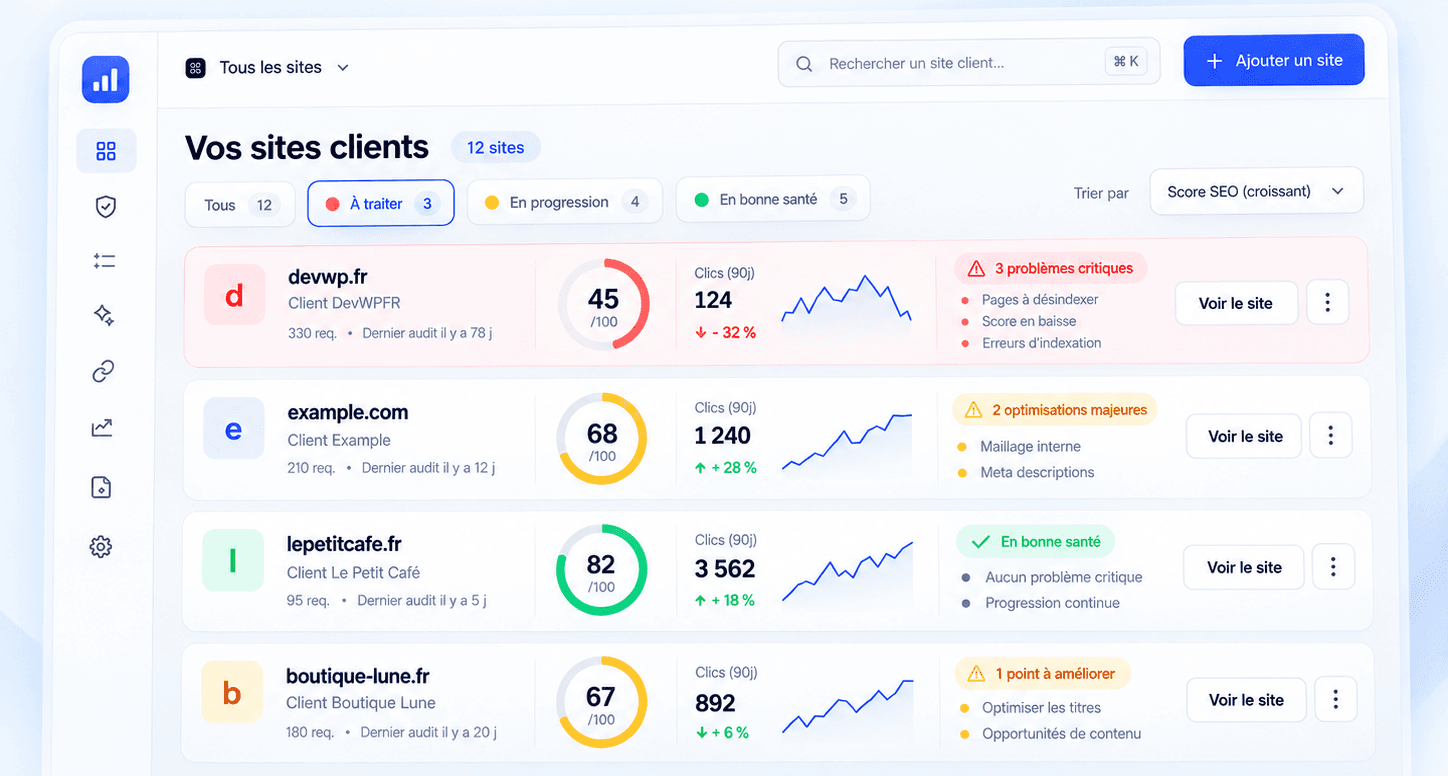
Your client sites at a glance
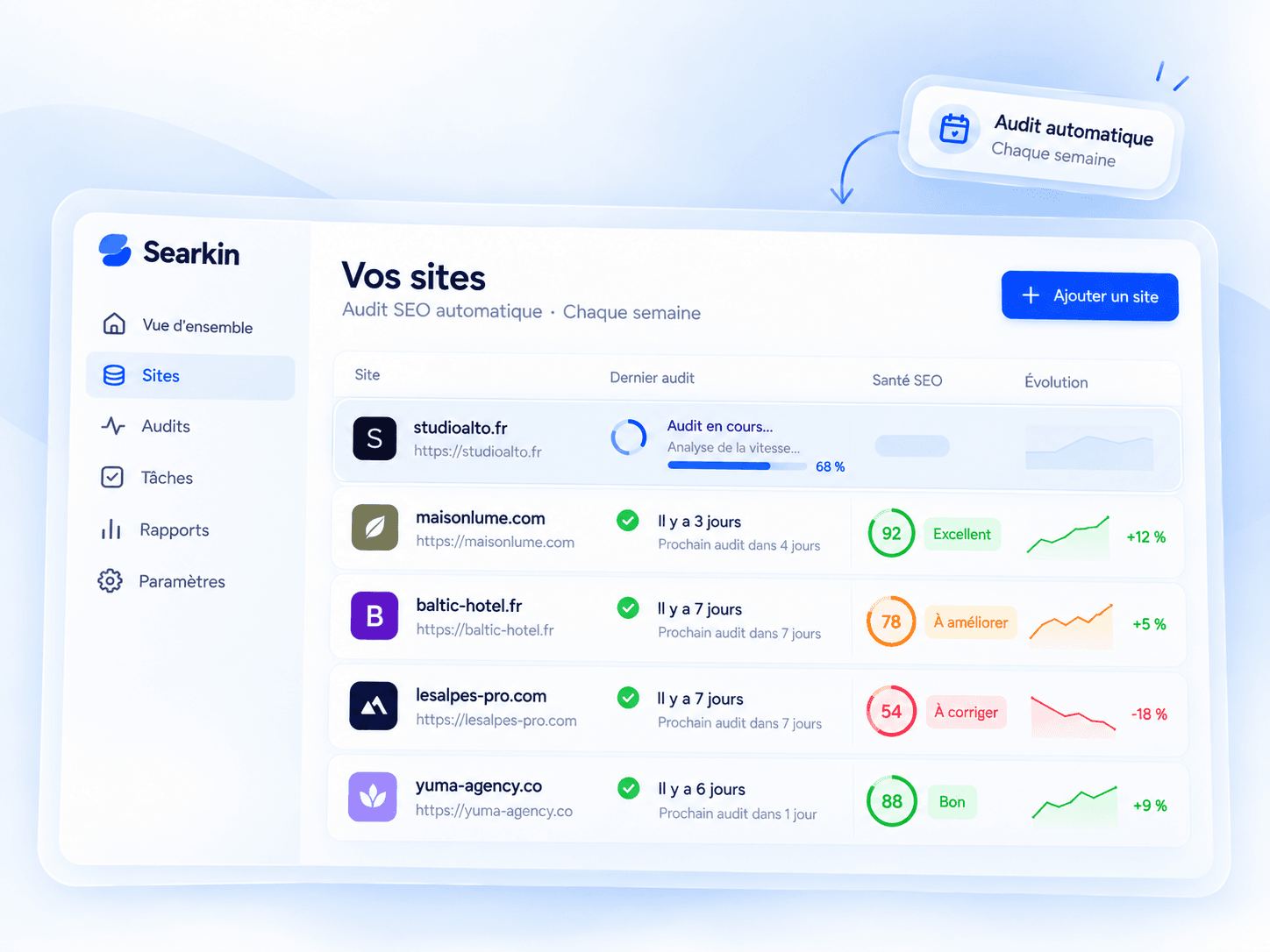
All the agency’s sites in one place, sorted from most urgent to healthiest. Whatever’s on fire rises to the top, with the right button right next to it.
WEB AGENCIESThe SEO cockpit for all your client sites
 ChatGPT
Audits, performance, opportunities, fixes: Searkin handles your clients’ SEO follow-up. Every week, it analyses their sites and prepares the improvements. You approve, and they go straight onto their site.
No credit card required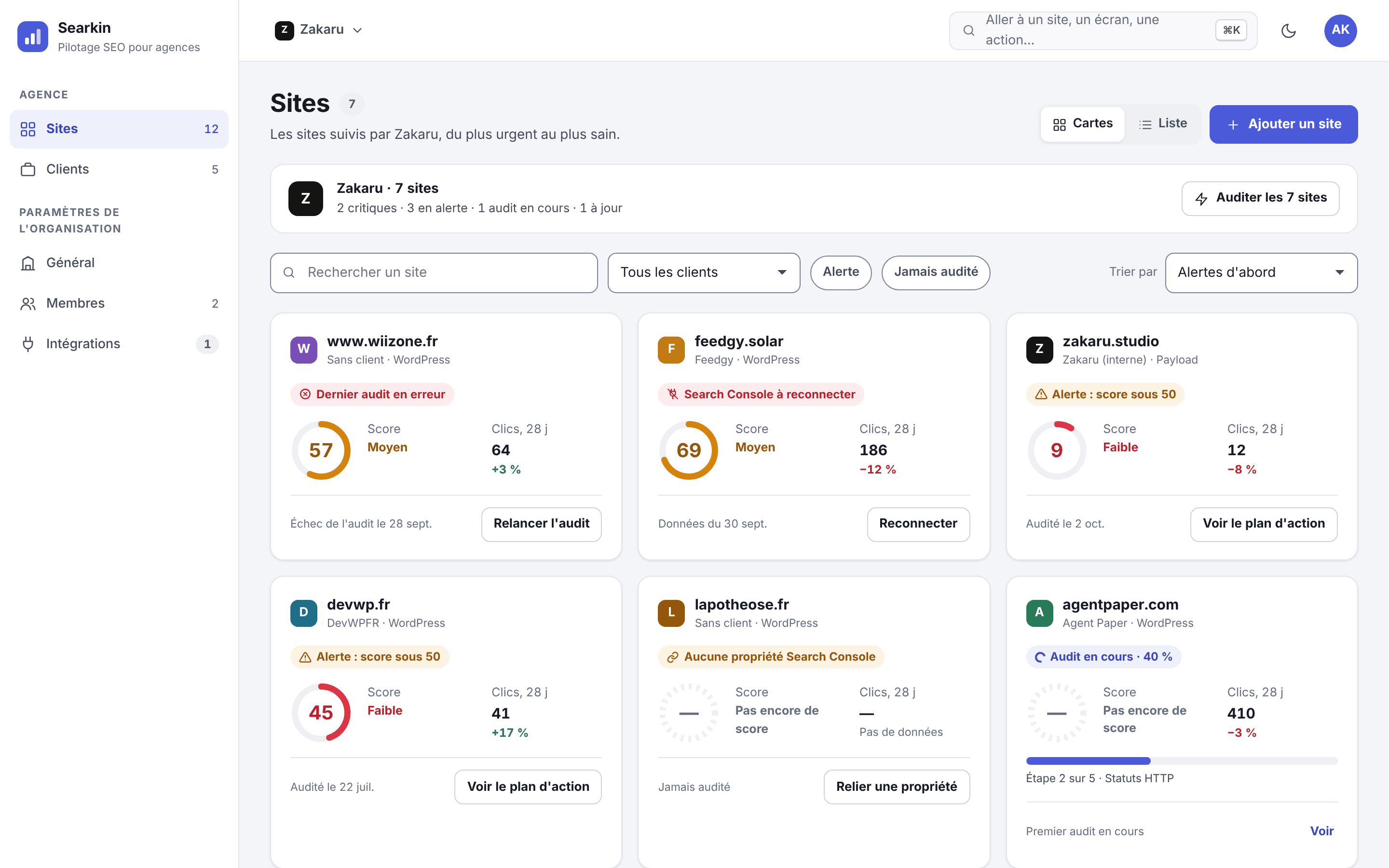
But when you manage ten, twenty or fifty clients, it’s hard to keep an eye on every site.  Search Console reports pile up, audits get pushed back and opportunities slip through the cracks.
That’s why we built  searkin. So SEO follow-up no longer comes after everything else.
Four screens you’ll open every Monday. The rest of the time, Searkin keeps watch.
All the agency’s sites in one place, sorted from most urgent to healthiest. Whatever’s on fire rises to the top, with the right button right next to it.
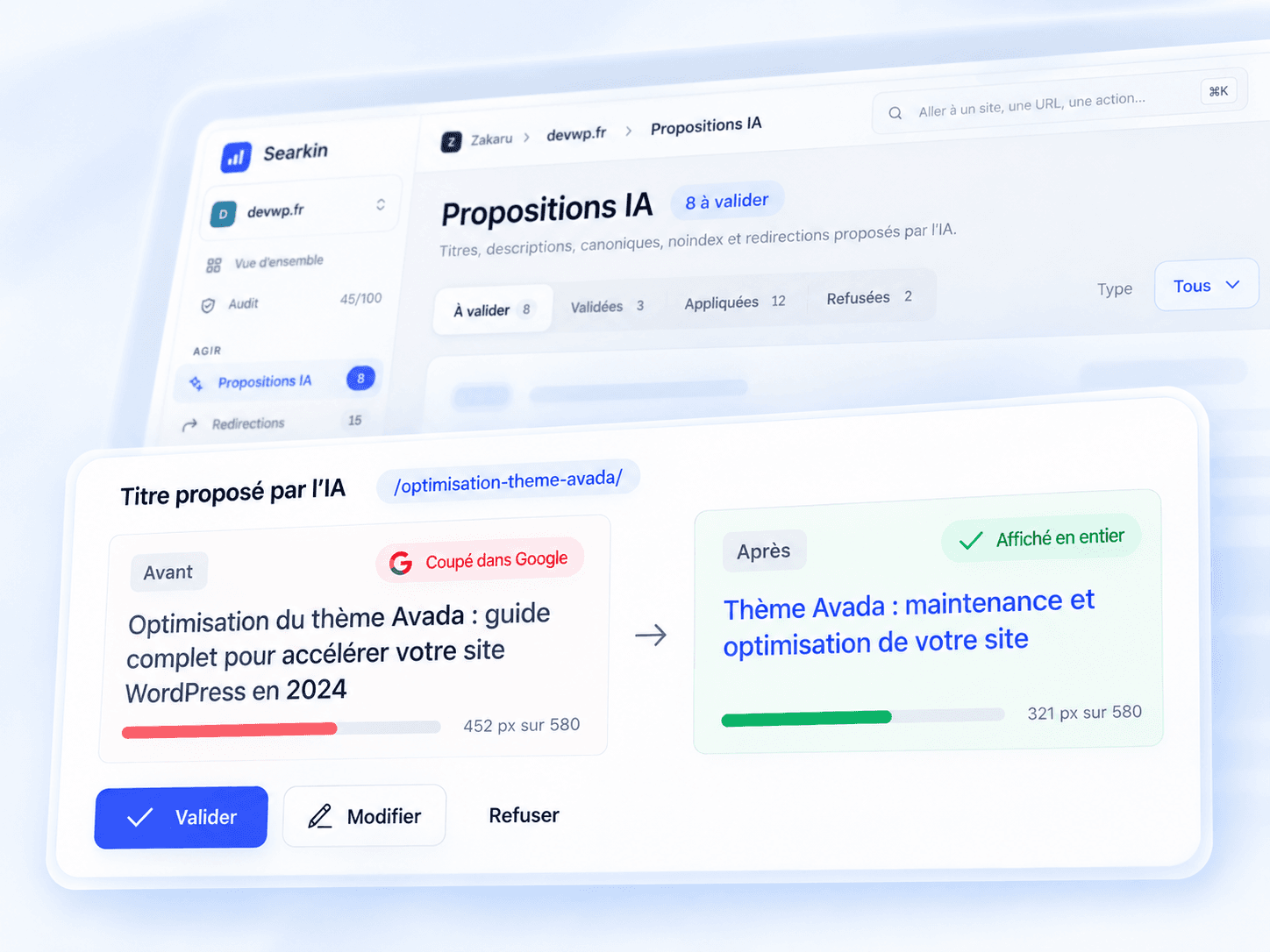
Titles, descriptions, redirects: the before, the after and the reason for the change. One click, and it’s written into the client’s CMS.
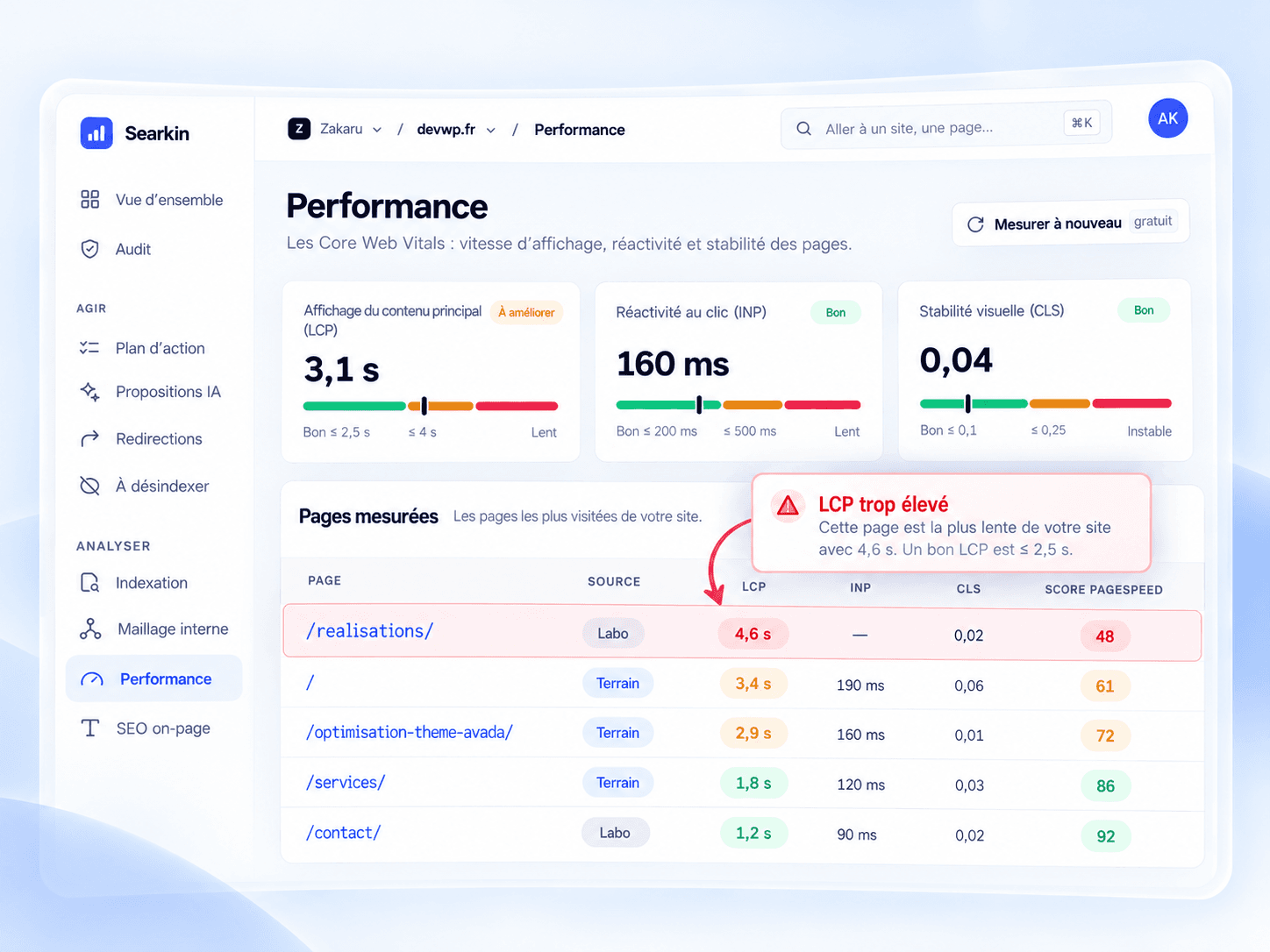
Core Web Vitals for the most visited pages, measured the way Google measures them. The slowest one gets called out.
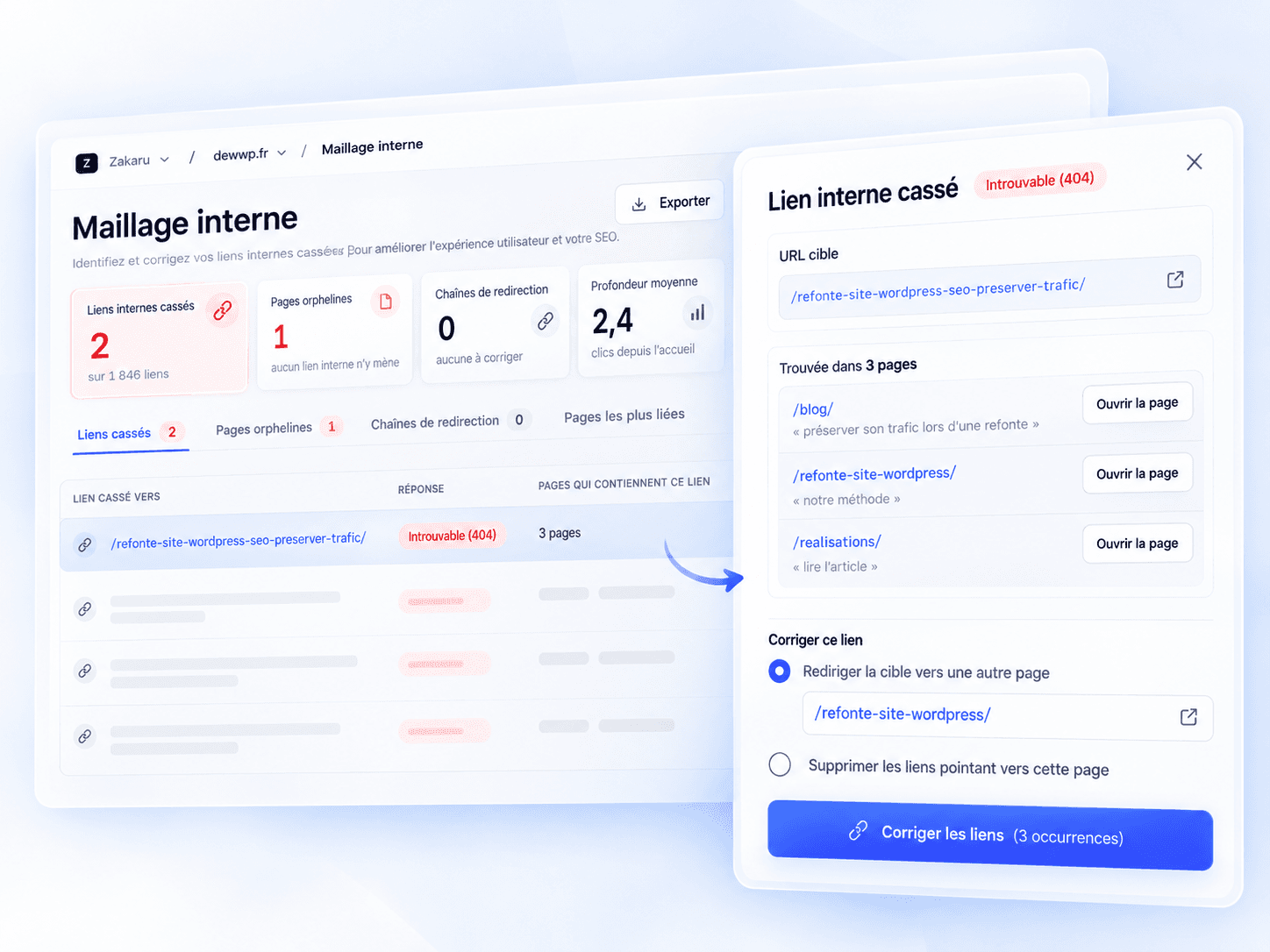
Searkin finds every page pointing to a 404 and lets you fix them all at once: redirect or remove.
Every Monday, all your sites get screened: indexing, speed, rankings, links.
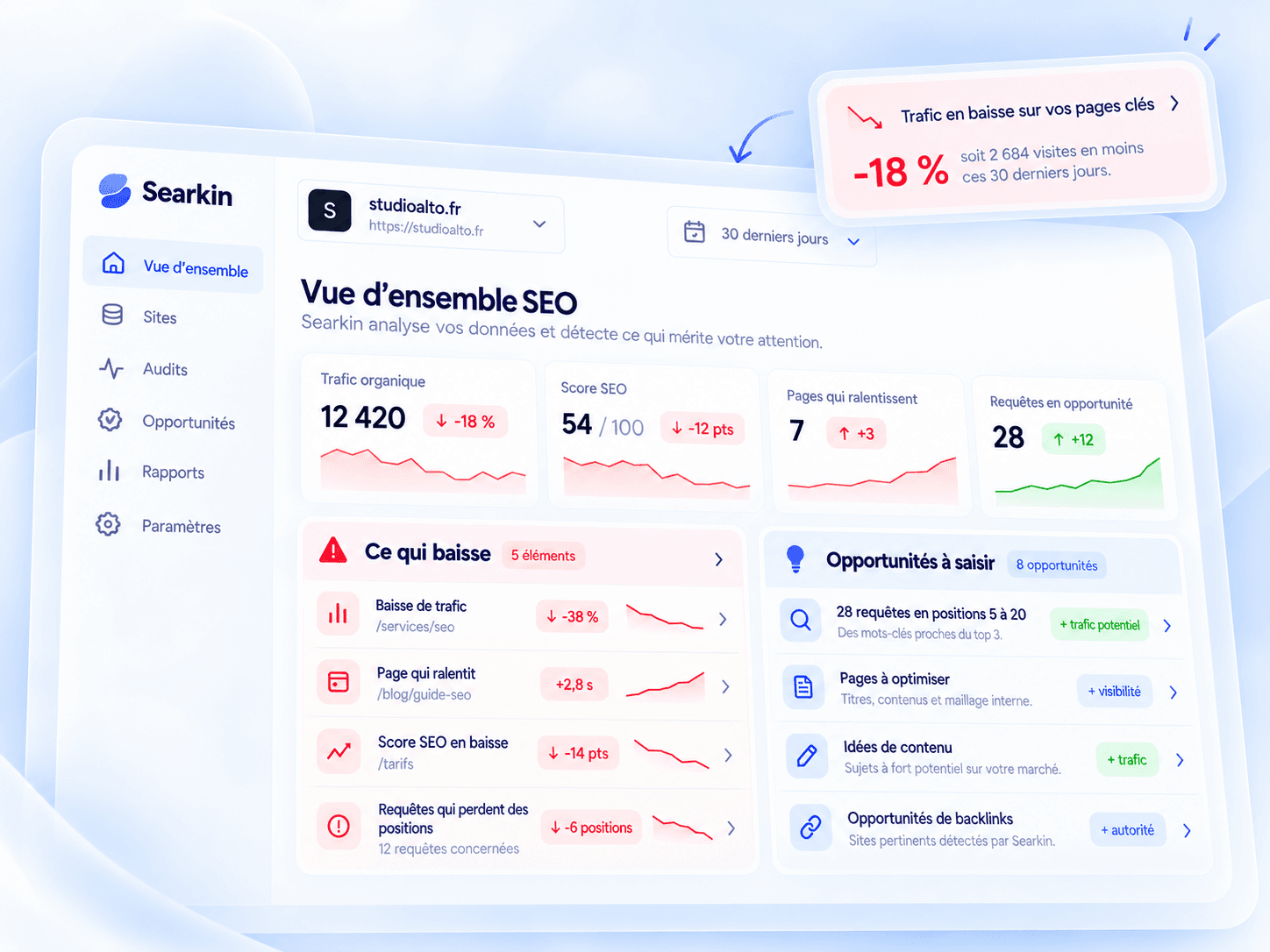
Pages that are slipping, queries just short of the top 3, content ideas.
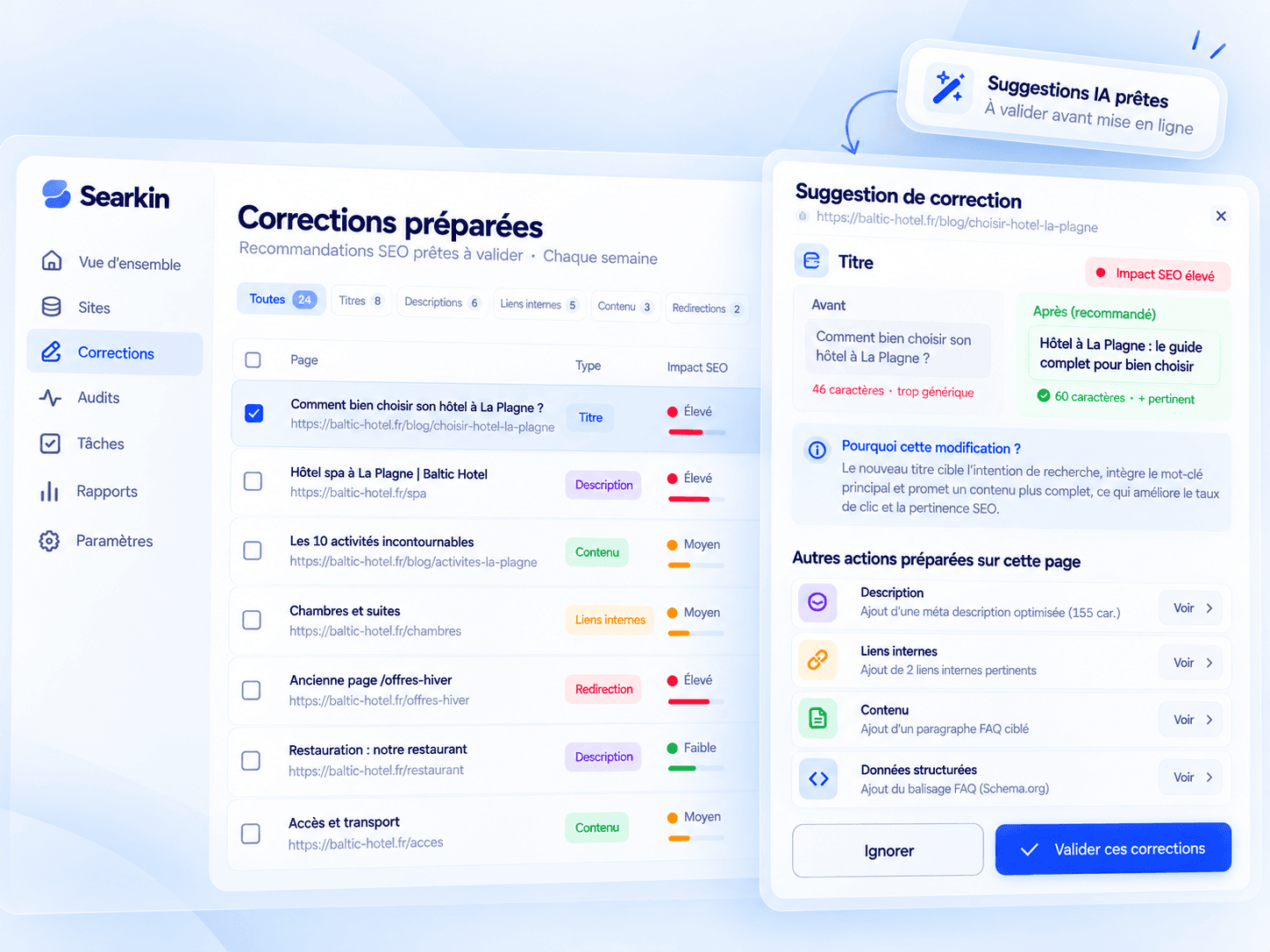
Titles, descriptions, links, content: written, justified, ready to approve.
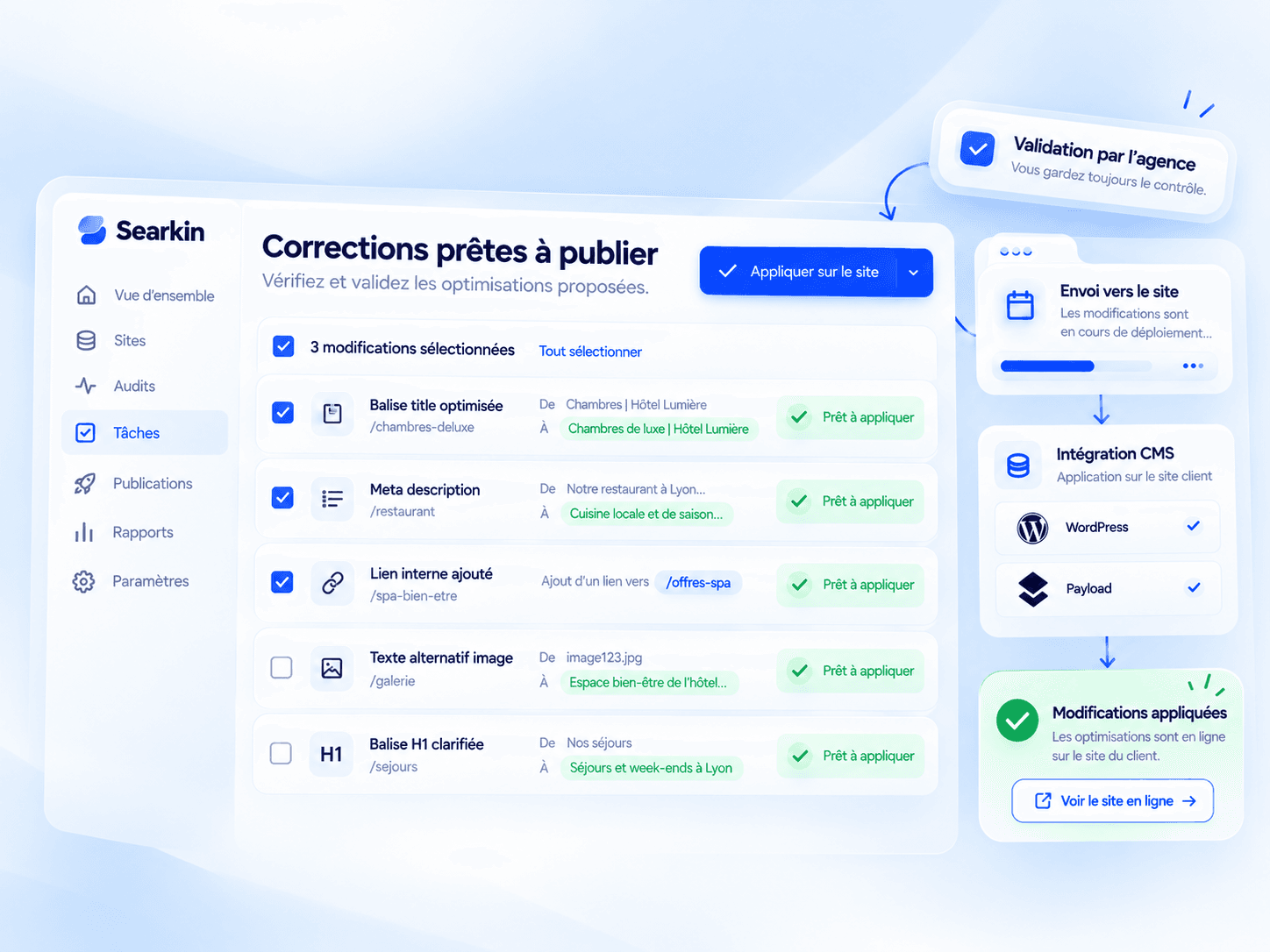
One click, and the fix is written into the client’s WordPress or Payload.
 Searkin took care of it
 Truncated in Google
Shortened to fit without truncation, date removed, and it picks up “maintenance”, the page’s best-ranking query.
Google.
 AI.
AI.Sharp titles, well-linked pages, content that truly answers the question: what makes a site climb in Google is also what gets it cited by ChatGPT, Perplexity or AI Overviews.
Searkin tracks down truncated titles, missing descriptions, 404 pages and queries stuck on page 2.
The same fixes pave the way for answer engines: clear, structured, up-to-date content.
 WordPress
 PayloadMCP Claude
One more client, one more site, one more line. No tiers, no features locked behind bigger plans.
No. Everything it prepares waits for your approval. Until you click, nothing changes on the client’s site.
Fixes you’ve already approved stay on the site: they were written into the CMS, not into an overlay. Nothing gets removed.
Searkin still audits them and prepares the fixes. You can export them and apply them yourself.
From each site’s Search Console, Google’s PageSpeed measurements and Searkin’s own crawl of every page.
€10 per tracked site, per month. Add or remove a site whenever you like, and the bill follows.